1. Getting Started
Thank you for purchasing an EasyRoll Smart Blind. Follow this guide and anyone can install and use it with ease.
Check the Contents
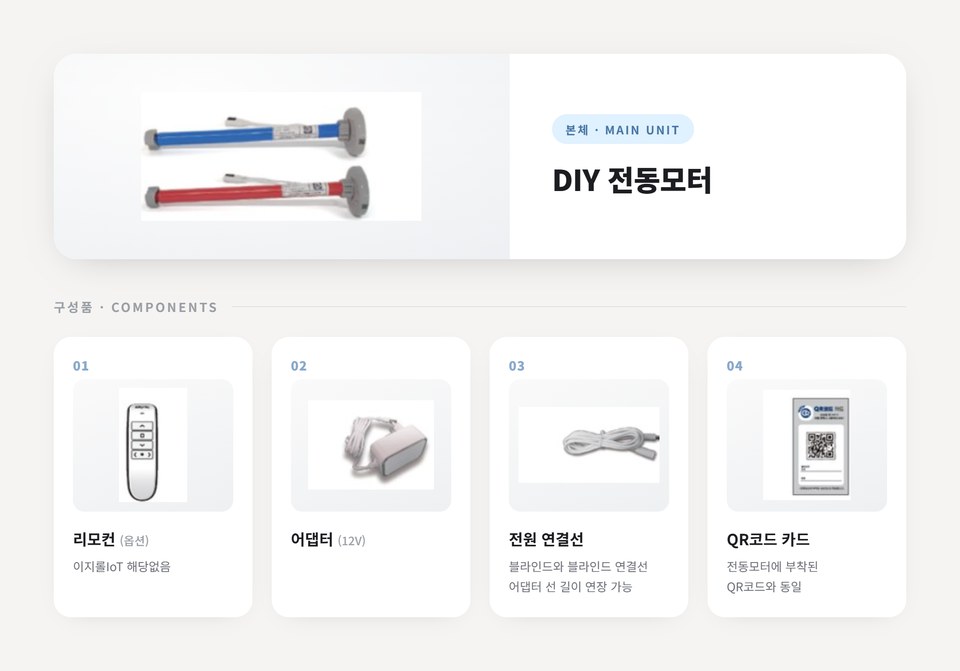
| Item | Description |
|---|---|
| Main unit — DIY motor unit | The motor unit that goes inside the blind |
| 01 Remote (optional) | Not included with EasyRoll IoT |
| 02 Adapter (12V) | For power supply |
| 03 Power connection cable | Connects blind to blind · Extends the adapter cable length |
| 04 QR code card | Same as the QR code on the motor unit — used during device registration |
Before Assembly, Check That the Motor Works
Before installing it into the blind, do a quick check that the motor unit runs properly.
- Connect the adapter (power connection cable) to the motor unit.
- Plug the adapter into an outlet.
- If the motor moves back and forth (up and down) a little and then stops → it's working!
👉 When you connect power, the motor makes a tiny rotation in both directions. This isn't a fault — it's a "working properly" greeting motion.
If you see this motion, the motor itself is fine
If registration or control doesn't work afterward, it's likely not a motor fault but a Wi-Fi / communication issue. See the Troubleshooting FAQ.
- Once confirmed, unplug the power and move on to 1-1. Installation Guide (Assembly).
- If there's no response at all, recheck the adapter and cable connections, and if it still doesn't work, contact the Customer Center.