2-2. Change Zone & Number
Use this feature to change the blind number you set during registration, or to move a blind to another zone.
Nothing to change? Move on to the next step
If you'll use it just as registered, go straight to 3. Basic Usage.
Tap the ⚙ (gear) next to the zone name → [Zone device settings], where all the organizing menus are gathered.
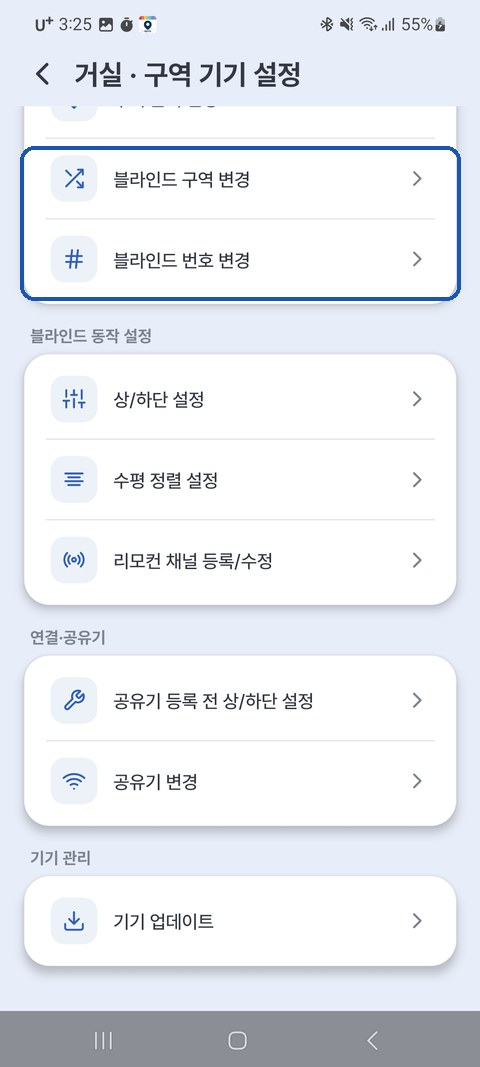
| Task | How | Example |
|---|---|---|
| Change blind numbers | Zone device settings → Change blind numbers | Living Room 1 / Living Room 2 |
| Move to another zone | Zone device settings → Move blind to another zone | Living Room → Bedroom |
| Rename a zone | Zone device settings → Rename zone | "Zone 1" → "Living Room" |
Checking device info
[Device info] in the same [Zone device settings] shows the status of each blind. The values you need for customer support or Home Assistant integration are here.
| Item | Contents |
|---|---|
| Firmware | The device software version currently installed (7. Device Update) |
| Network | Device IP · router ID/IP · Wi-Fi signal strength and channel · MAC |
| Remote | Registered remote ID · channel |
| Home Assistant | Connected (broker · account) / Not used / Not supported on this device |